
If you’ve ever tried multicolor 3D printing… you already know the pain.
You’re not printing your model.
You’re printing a pile of wasted filament with a model hiding inside it.
And honestly? That’s been one of the biggest reasons I don’t do more multicolor prints unless I absolutely NEED to.
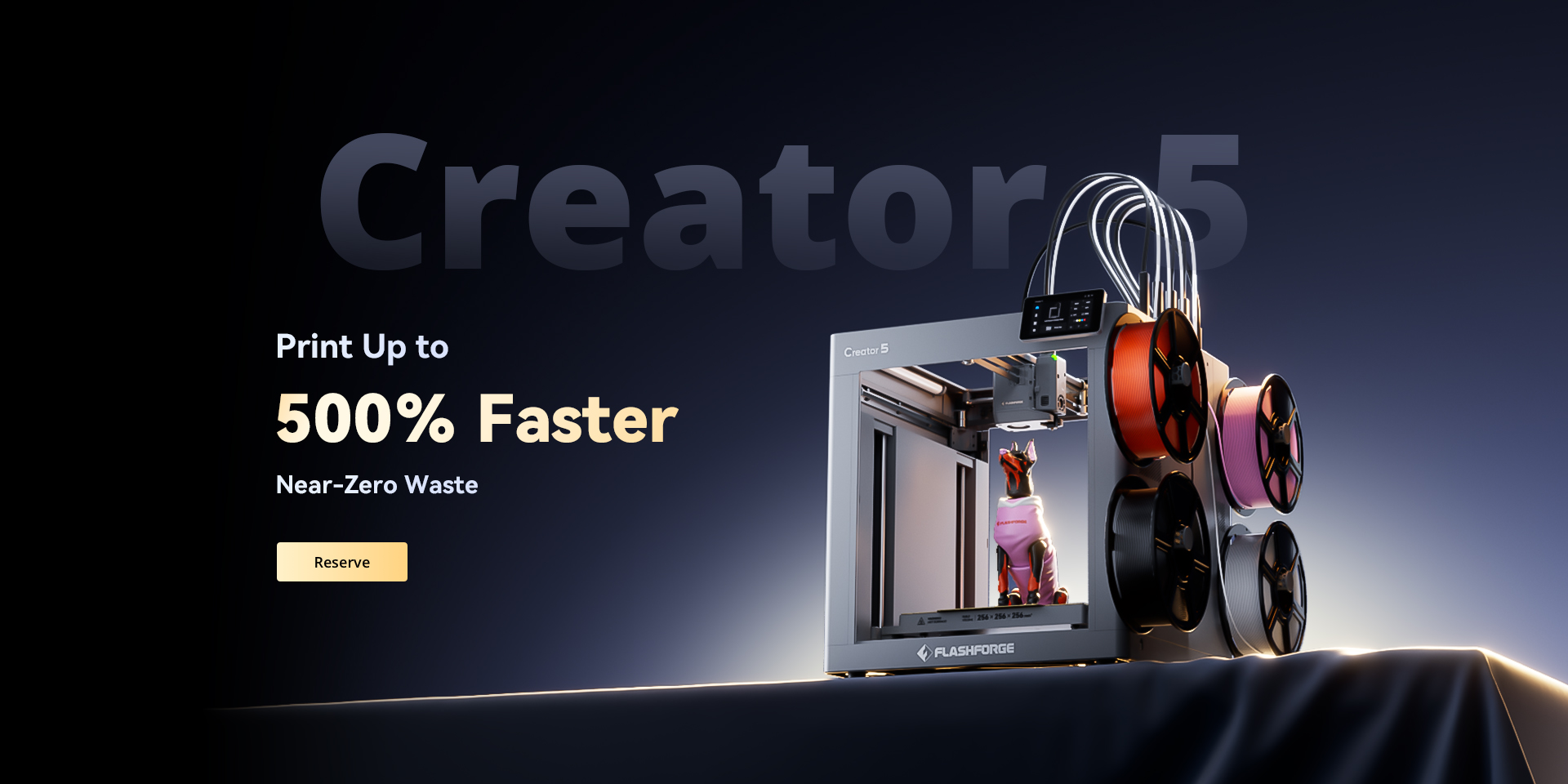
But the new Flashforge Creator 5 (C5) might actually change that…
👀 First Impressions: Why the C5 Is Getting So Much Attention
This isn’t just another “faster, slightly better” printer.
Flashforge is going after one of the biggest problems in FDM:
👉 Purge waste during multicolor printing
And they’re not just improving it…
They’re basically trying to eliminate it without a 4 digit price tag…
🔥 The Big Deal: Near-Zero Filament Waste
Let’s talk about what actually matters.
Most multicolor setups (AMS, MMU, etc.) waste a TON of filament every time colors switch.
The C5?
- Uses FlashSwap™ toolhead system
- Physically swaps between 4 toolheads
- No purge tower
- No color flushing waste
Real-world benchmark from the launch:
- Same multicolor print:
- C5: ~47.5g filament
- Typical setup: ~290g filament
- That’s about 84% less waste (or at least thats what is being claimed. Well have to test this soon after the printer actually launches in May 2026.)
⚡ Speed: Up to 500% Faster Multicolor Printing
Here’s where it gets kind of wild.
Because the C5 isn’t constantly purging material, it’s also way faster:
- Up to 500% faster multicolor printing
- Example:
- Multicolor cube:
- C5: ~2.6 hours
- Typical printers: ~16 hours (allegedly)
- Multicolor cube:
🧠 How It Works (Without Getting Too Nerdy)
Instead of feeding multiple filaments into one nozzle…
The C5 uses:
👉 4 independent toolheads
Each one can handle a different material:
- PLA
- TPU
- Support materials
- Engineering filaments
And it switches between them without purging. This should equate to less waste, cleaner prints and hopefully unlike my old P1P way less babysitting.
🧪 Specs That Actually Matter
Here’s the quick breakdown:
- Build Volume: 256 × 256 × 256mm (honestly I wish they went a little bigger here but its def a workable volume)
- Speed: Up to 600mm/s & Acceleration: 30,000 mm/s²
- Multi-material printing: Yes (simultaneous)
- Fleet management: PC + mobile dashboard
💰 The Launch Deal (This Is Important)
Flashforge is running this as a deposit-based pre-sale.
Here’s the play:
👉 You put down a $10 deposit
👉 You lock in the lowest launch price (which as of this time is expected to be $649 the lowest tool changer price i’ve seen)
And:
- The deposit gets applied to your final purchase
- There’s 180-day price protection
- There’s even a chance to get your order free or other goodies with their lottery system on these orders
👉 Reserve Your C5 Here
If you’re even thinking about upgrading or getting into multicolor printing, this is worth locking in early:
👉 Reserve the Flashforge Creator 5 here
(Small deposit, locks in the best pricing)
🤔 Is the C5 Actually Worth It?
This is probably for you if:
- You’ve avoided multicolor printing because of waste
- You run a print shop or sell prints
- You want faster turnaround times
- You like pushing new tech early
Maybe not for you if:
- You only print single-color stuff
- You’re super budget-focused
- You’re brand new to 3D printing ( I typically recommend starting with single color for simplicity)
🎥 What I’m Planning Next
As soon as I can get my hands on one, I want to test:
- Multicolor functional parts
- Flexible + rigid combos
- Weird chaotic Misfit builds (obviously)
- Waste comparisons vs real-world prints
If you want to follow along, keep an eye on my socials 👀
🚀 Final Thoughts
The Flashforge Creator 5 (C5) isn’t just another printer launch.
It’s trying to fix one of the biggest annoyances in 3D printing.
And honestly?
If it delivers even close to what they’re claiming…
this could be a huge shift for makers.
Some of the links in this post are affiliate links, which means I may earn a small commission if you choose to make a purchase or reserve through them—at no extra cost to you. I only share products I’m genuinely excited about or think are worth checking out. Supporting through these links helps fund future builds, experiments, and chaotic projects 🫡