
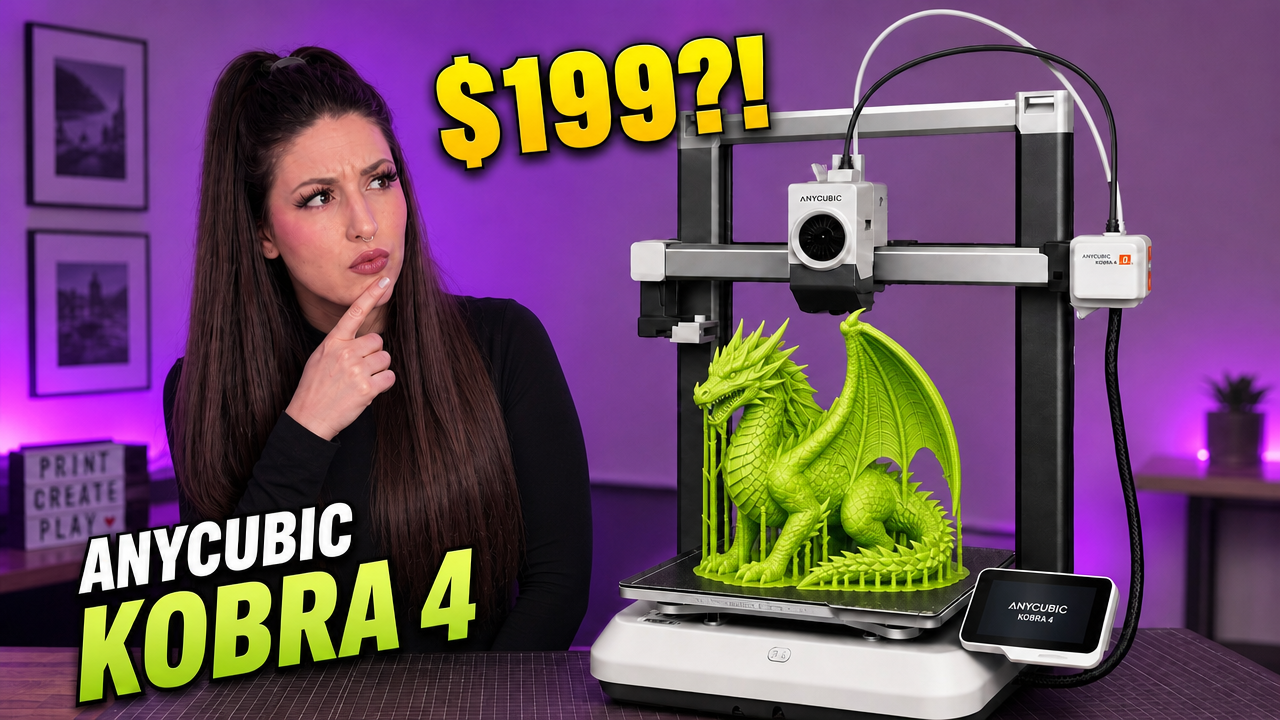
If you’ve spent any amount of time around the 3D printing community lately, you’ve probably seen the Anycubic Kobra 4 popping up everywhere. And if you’re anything like me, your first thought was probably:
“Wait a minute… doesn’t that look a lot like the Kobra X?”
After spending time testing the Kobra 4, running real prints, exploring the multi-color system, and comparing it to other printers in Anycubic’s lineup, I think I finally understand where this machine fits.
The short version? The Kobra 4 is a genuinely good printer. The longer version is a bit more complicated.
Anycubic Kobra 4 Specifications
Before we dive into the review, here’s a quick look at the key specs:
- Build Volume: 260 x 260 x 260 mm
- Print Speed: Up to 600 mm/s (typically you will use it at 300 mm/s)
- Multi-Color Support: Up to 8 colors with ACE 2 Pro units
- Built-In Camera
- AI Foreign Object Detection
- AI Spaghetti Detection
- Wi-Fi Connectivity
- Mobile App Support
- PLA, PETG, and ABS Compatible
Unboxing and Setup
One thing that makes my cold little maker heart happy is how much easier modern 3D printers are to set up.
Back in the day, many printers arrived looking like someone dumped an IKEA furniture box into another box and shipped it across the country.
Thankfully, that’s not the case here.
The Kobra 4 arrives mostly assembled, and the setup process is straightforward enough that even someone completely new to 3D printing should be able to get up and running without too much stress.
There are a few shipping screws to remove and the toolhead needs to be attached, but the entire process is beginner friendly.
Multi-Color Printing with the ACE 2 Pro
The review unit Anycubic sent included the ACE 2 Pro.
This accessory transforms the Kobra 4 from a single-color printer into a multi-color machine capable of producing impressive prints with multiple filaments in a single job.
The ACE 2 Pro also doubles as a filament drying and storage system.
If you live somewhere humid, this can be a huge advantage because wet filament can lead to:
- Stringing
- Cracking
- Poor print quality
- Failed prints
As someone living in Arizona, humidity isn’t usually my biggest concern, but many makers will appreciate this feature.
Printing Performance
Let’s get to what really matters.
Can the Anycubic Kobra 4 actually print?
The answer is yes.
And honestly, it prints very well.
I ran several test prints including:
- Benchy
- Multi-color models
- Batch printing jobs
- Functional tolerance tests
- First layer tests
The results were consistently good.
Layer lines were clean.
Color transitions looked sharp.
Print reliability was excellent throughout my testing.
One feature I particularly enjoyed was object exclusion.
If one model fails during a large batch print, you can stop printing only that object while allowing the remaining models to continue.
This is one of those features you don’t appreciate until you need it.
Then suddenly it’s your favorite thing ever.
AI Features That Are Actually Useful
The Kobra 4 includes two AI-powered monitoring features:
Foreign Object Detection
This feature can detect unexpected objects on the printer.
As someone who constantly uses printers as temporary storage shelves, I found this surprisingly useful.
Spaghetti Detection
If you’ve ever come back to discover your printer has created a giant plastic bird’s nest, you’ll appreciate this feature.
While I didn’t experience any catastrophic failures during testing, I’ve certainly had printers in the past where this would have saved a lot of cleanup.
Do You Need a Computer?
One of the most common questions I get from beginners is:
“Do I need a PC to use a 3D printer?”
Not necessarily.
The Anycubic mobile app allows users to:
- Browse models
- Slice files
- Configure settings
- Send prints directly to the machine
Personally, I still prefer using a desktop slicer for greater control, but for beginners, the mobile workflow is surprisingly capable.
Anycubic Kobra 4 vs Kobra X
This is where things get interesting.
The Kobra 4 and Kobra X share a lot of similarities, which naturally leads people to compare them.
The Kobra 4 focuses on:
- Simplicity
- Accessibility
- Lower cost entry point
- Beginner-friendly experience
The Kobra X offers:
- Greater multi-color expansion
- Improved multi-color efficiency
- Reduced filament waste
- More advanced feature set
Neither approach is inherently wrong.
The bigger question is which one makes more sense for your specific use case.
Who Should Buy the Anycubic Kobra 4?
After spending time with the printer, I think the Kobra 4 makes the most sense for people who:
✅ Are buying their first 3D printer
✅ Primarily print in single color
✅ Want a simple setup experience
✅ Want modern features without spending a fortune
✅ Prefer reliability over endless tweaking
If that sounds like you, I think you’ll genuinely enjoy using this machine.
Final Verdict
The Anycubic Kobra 4 is a good printer.
Actually, it’s a very good printer.
If this machine had existed when I bought my first 3D printer, I would have thought I was living in the future.
Modern beginner printers have become incredibly capable, and the Kobra 4 is another example of how far the hobby has come.
It’s reliable.
It’s easy to use.
It produces quality prints.
And most importantly, it lowers the barrier to entry for new makers.
While comparisons to the Kobra X are inevitable, the Kobra 4 still stands on its own as a solid entry point into the world of 3D printing.
And at the end of the day, that’s exactly what many beginners are looking for.
Watch the Full Video Review
Prefer to see the printer in action?
Watch my full hands-on Anycubic Kobra 4 review on YouTube where I walk through setup, print testing, multi-color performance, and who I think this printer is best suited for.
Have questions on the Kobra 4 or other products? Or want to see your product featured in a video reach out here!
Affiliate Disclosure
Some of the links in this article are affiliate links. This means that if you purchase through these links, I may earn a small commission at no additional cost to you. These commissions help support Misfit Printing and allow me to continue creating free reviews, tutorials, and maker content. As always, all opinions expressed are my own.