
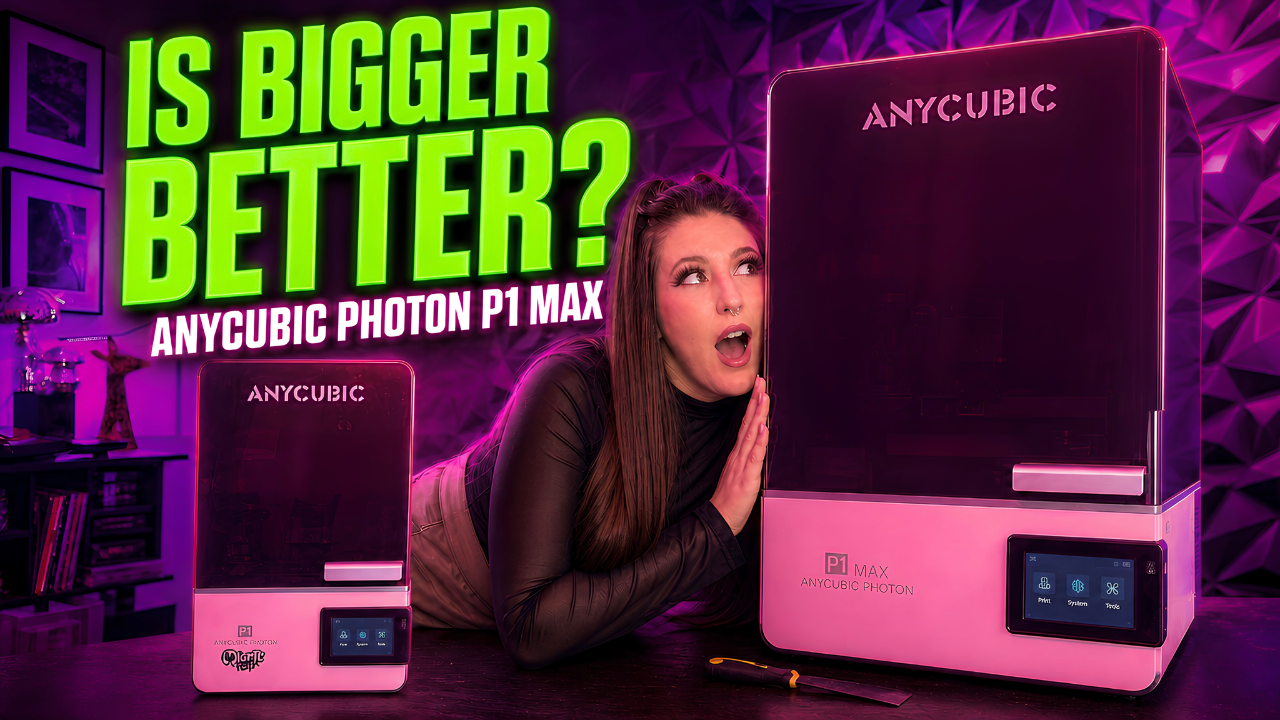
Affiliate disclosure: Anycubic provided the Photon P1 Max featured in this review for testing. This article contains affiliate links, which means I may earn a small commission if you purchase through them at no additional cost to you. Anycubic did not control my opinions. The good, the bad, and the resin-soaked observations are entirely my own.
Shop the Anycubic Photon P1 Max:
https://store.anycubic.com/pages/photon-p1-max-global-new-launch?_sasdk=fbWlzZml0cHJpbnRpbmdAZ21haWwuY29t&ref=alnbzpif
Use code MISFITPRINTING to save $15 at Anycubic.
Shop the standard Anycubic Photon P1:
https://www.anycubic.com/en/Photon-P1?ref=alnbzpif
Is the Anycubic Photon P1 Max worth it?
The Anycubic Photon P1 Max is worth considering if you want to print large resin models, full-size props, product housings, or batches of smaller objects without giving up the detail and reliability expected from the Photon P1 series.
After testing the P1 Max, I did not notice a meaningful loss in print quality compared with the smaller Photon P1. However, the increased build volume also means increased resin consumption, a heavier build plate, more expensive failures, and some new washing and curing challenges.
In other words, bigger can be better. Bigger can also create bigger puddles of resin when something goes wrong.
Watch the full Anycubic Photon P1 Max first impressions video:
https://www.youtube.com/watch?v=hai2njUJL1I
Why did I want a larger version of the Photon P1?
The original Anycubic Photon P1 completely changed my opinion of resin 3D printing.
I avoided resin printing for years because I pictured it as a complicated ritual involving chemical spills, endless failed prints, and accidentally developing a new superpower after touching uncured resin.
The Photon P1 turned out to be significantly more approachable than I expected. It was easy to set up, consistently produced detailed models, and quickly became one of my favorite tools in the workshop.
Naturally, when Anycubic asked if I wanted to test a larger version, my first thought was:
Yes. Obviously. Give me the enormous one.
My second thought was whether increasing the size would compromise the quality and reliability I liked about the original P1.
That became the central question of this review.
How big is the Anycubic Photon P1 Max?
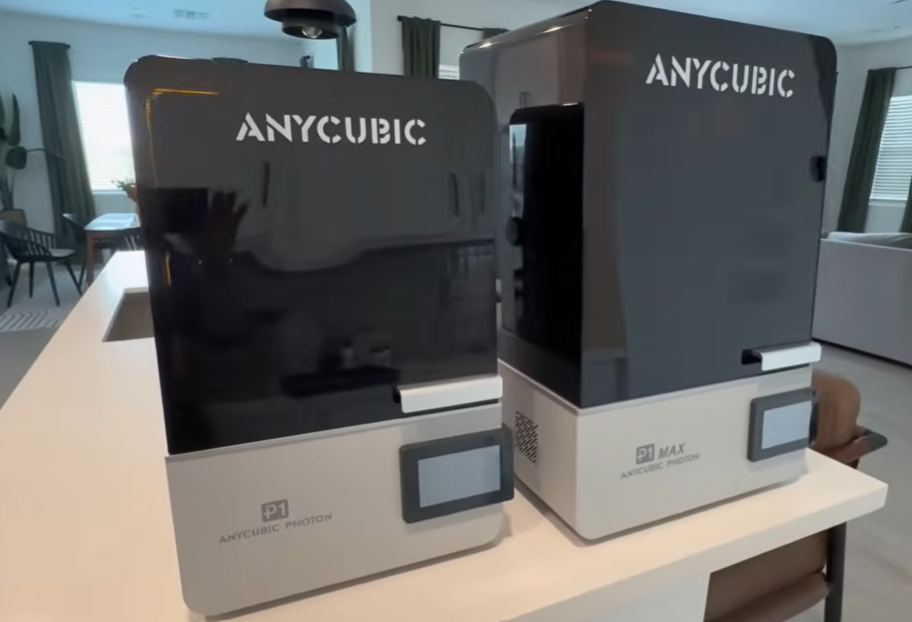
The Anycubic Photon P1 Max has a printable area of approximately:
285.5 × 214 × 300 mm
That produces a total build volume of approximately:
18.3 liters
For anyone who struggles to visualize metric measurements, this is enough printable space to hold roughly two standard bottles of resin, depending on how emotionally prepared you are to approach the vat’s maximum fill line.
More importantly, the added space changes what you can realistically make in one piece.
During testing, I was able to fit or prepare models including:
- A full-size Iron Man helmet at 100% scale
- A large Viking-style axe
- A Venomized Spider-Man helmet
- A retro housing for a Google Nest
- Multiple models spread across the build plate
- Large props that would otherwise need to be divided into several pieces
Not every helmet will fit. A full-size Mandalorian helmet was still too large and needed to be scaled down. However, outside of especially wide, bucket-shaped designs, the P1 Max gives you substantially more room than a typical desktop resin printer.
Can the Photon P1 Max print a full-size helmet?
Yes, the Photon P1 Max can print many full-size helmets in one piece, but compatibility depends on the helmet’s shape and dimensions.
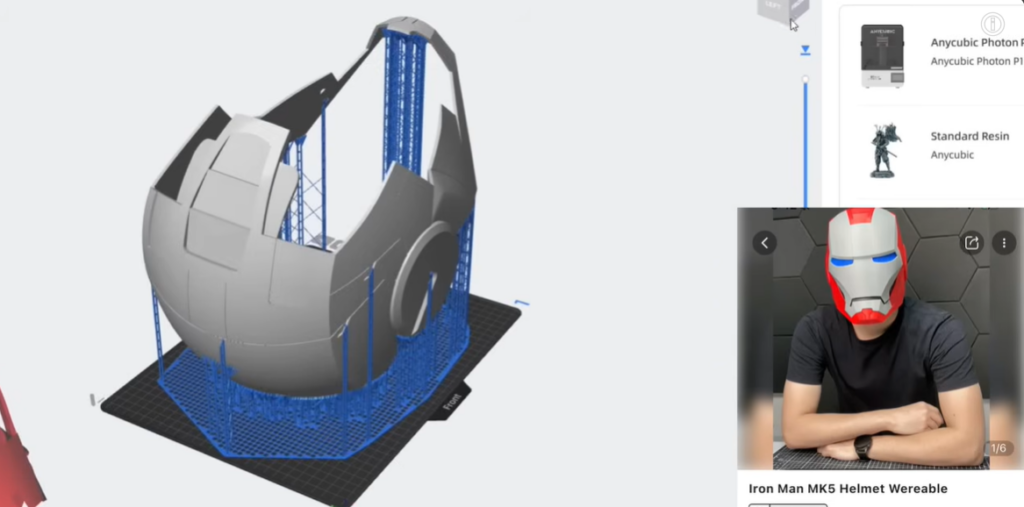
An Iron Man helmet fit at full scale with room remaining. Other helmet designs also fit, although especially wide models may need to be rotated, scaled, or split.
That is still a major advantage for cosplay and prop making.
Anyone who has ever glued together a helmet made from eight separate pieces knows that printing is only half the battle. You then have to align the parts, glue them together, fill the seams, sand everything, discover a seam you missed, sand it again, and eventually begin questioning every decision that brought you to this moment.
Being able to produce a prop as one large resin print can eliminate a substantial amount of that post-processing.
Does a larger resin printer lose detail?
One of my biggest concerns was that the P1 Max might gain size while losing the detail I liked from the standard P1.
So far, I have not found that to be the case.
Anycubic says the P1 Max uses its LighTurbo 4.0 system and achieves more than 92% illumination uniformity through full-screen calibration. In practical terms, that means the UV exposure should remain relatively consistent from the middle of the screen to the outer edges.
That matters more on a large-format printer because you are more likely to:
- Place several models across the full plate
- Print objects that extend close to the edges
- Run production-style batches
- Print one object that occupies most of the screen
During my large-print and batch testing, I did not notice models at the edge of the plate printing differently from models in the center.
Is the P1 Max’s 12K screen worse than the P1’s 14K screen?
On paper, this comparison may look strange:
- Photon P1: 14K screen
- Photon P1 Max: 12K screen
It is easy to assume that the larger printer must produce lower-quality models because 12K is a smaller number than 14K.
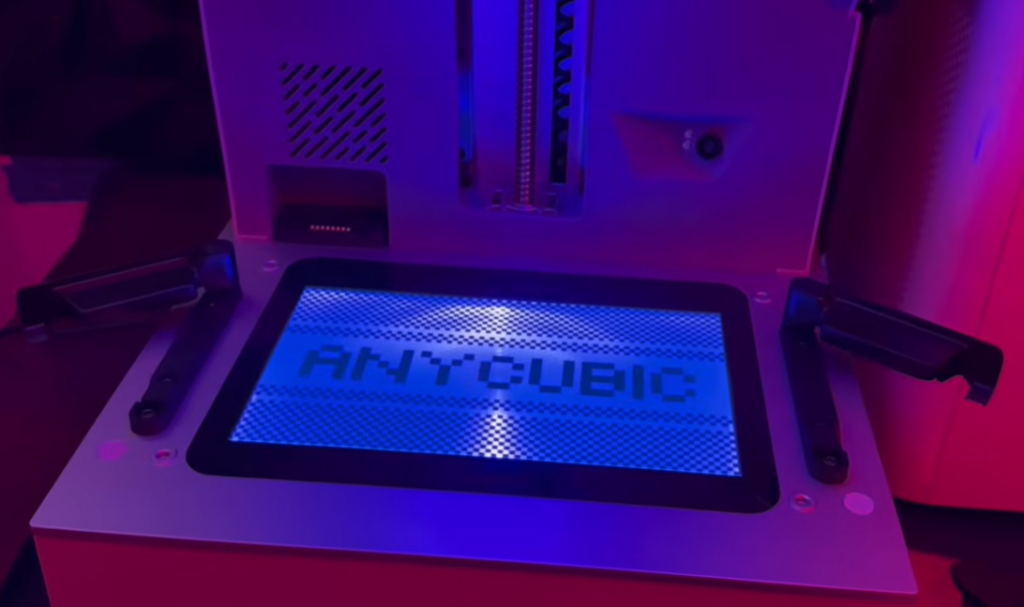
However, screen resolution is only one part of the complete printing system. Light uniformity, pixel dimensions, resin performance, exposure settings, model quality, and the printer’s mechanical stability also influence the finished result.
In my actual prints, I could not identify a meaningful quality difference between the P1 and P1 Max.
Unless your projects require extremely precise measurements at a microscopic level, I do not think most hobbyists will look at the same model from each printer and immediately identify which one came from the 12K screen.
The P1 Max is not a low-detail printer hiding inside a large trench coat.
Is the Photon P1 Max reliable with heavy prints?
Large resin printers create an unusual mechanical challenge.
The build plate is already heavy. Once you add a large solid print and a generous coating of uncured resin, the printer must repeatedly raise and lower that weight without introducing instability.
The P1 Max uses a steel build plate, C7-grade ball screws, and linear guide rails. Anycubic lists repeat positioning accuracy of ±0.01 mm for the motion system.
Across my P1 and P1 Max testing, the steel plates have remained flat, and I have not noticed degradation caused by the added weight.
I usually consider “the printer continues functioning after several months” to be the baseline expectation rather than an achievement deserving a parade. Still, the P1 Max has handled its unusually heavy plate and large prints without becoming less consistent, which is genuinely encouraging.
What features does the Anycubic Photon P1 Max include?
Aside from its size, the P1 Max shares many features with the standard Photon P1.
Built-in camera and remote monitoring
The built-in camera allows you to check the print through the slicer or Anycubic app.
I do not personally do much slicing and printing from my phone, but I appreciate being able to confirm that my expensive vat of resin has not become a modern art installation while I am in another room.
Heated resin vat
The heated vat can help keep resin within a more consistent operating range.
This can be especially useful for:
- Cold workshops
- Garages
- Engineering resins
- High-viscosity materials
- Printers positioned near drafty exterior windows or ventilation
Wave Release Technology
The release film system is designed to reduce peel force as each layer separates.
It also gave me an unexpected bonus when I accidentally punctured the NFEP. The additional protective layer prevented resin from reaching the screen, potentially saving me from an extremely expensive mistake.
AirPure 2.0 connection
The printer includes a connection for Anycubic’s AirPure 2.0 system, allowing air to be directed away from the enclosure through attached tubing.
You still need to follow appropriate resin safety procedures, use suitable personal protective equipment, and maintain proper ventilation. The port simply gives you another way to manage the printing environment.
Wi-Fi and Ethernet connectivity
The P1 Max supports Wi-Fi and Ethernet connectivity, along with remote monitoring through the Anycubic app. Anycubic also lists compatibility with resins measuring up to 8,000 cps in viscosity.
What are the disadvantages of the Anycubic Photon P1 Max?
The P1 Max has performed well, but owning a giant resin printer is not all rainbows, sunshine, and perfectly cured miniature dragons.
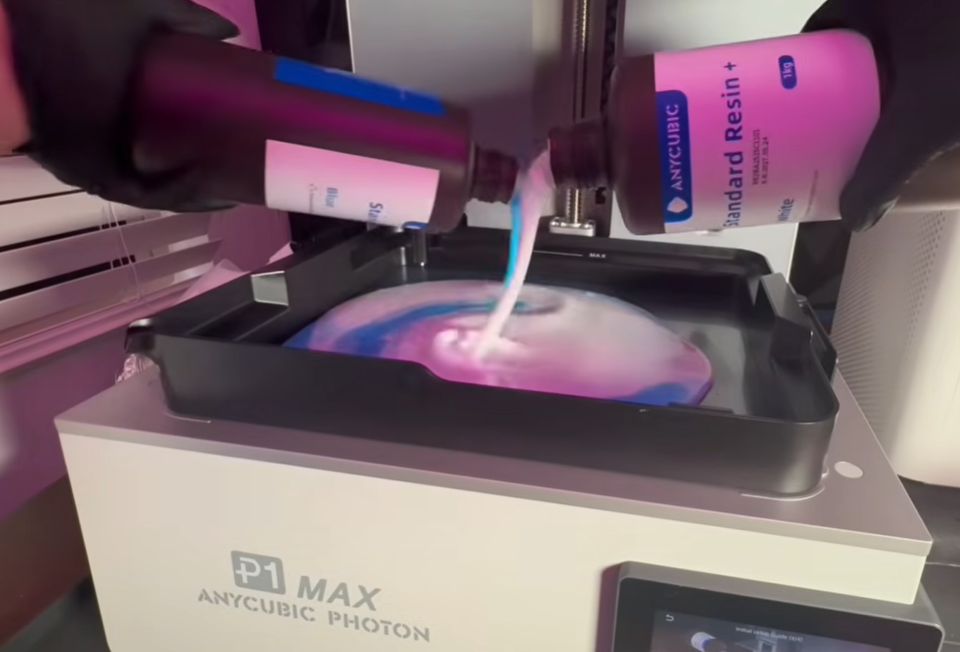
It uses a lot of resin
There is no clever engineering solution that changes the amount of material required to print a huge object.
Large models can consume full bottles of resin, and the vat needs enough liquid to feed those prints safely. Resin expenses can add up quickly.
Failed prints become more expensive
A failed keycap is annoying.
A failed helmet can represent a meaningful amount of resin, printing time, cleanup, and sadness.
The printer itself has been reliable during my testing, but orientation, supports, exposure settings, resin temperature, and model design can still cause failures.
Large prints are harder to wash and cure
A model fitting inside the printer does not mean it will fit inside your existing wash and cure station.
I currently have a standard-size station, so Arizona’s extremely aggressive supply of free UV light assisted with some of my curing process.
For regular large-format printing, a larger wash and cure system will make the workflow much easier.
The build plate is extremely heavy
The steel build plate inspires confidence while attached to the printer.
It becomes slightly less inspiring when you are carrying it across the room with a large print attached and resin dripping from every available surface.
The weight is understandable, but it is still part of the ownership experience. If you are frail this might not be the printer for you.
It needs considerable workspace
The P1 Max is physically large, and you also need room to:
- Open the enclosure
- Remove the build plate
- Handle the vat
- Transfer dripping prints
- Store resin
- Wash and cure models
- Clean up safely
This is not the printer I would recommend placing beside your laptop on a small apartment desk.
Anycubic Photon P1 Max vs. Photon P1
The P1 and P1 Max feel like members of the same family. The primary difference is not the overall printing experience. It is how much printable space you receive.
| Feature | Anycubic Photon P1 Max | Anycubic Photon P1 |
|---|---|---|
| Build size | 285.5 × 214 × 300 mm | 223 × 126 × 230 mm |
| Build volume | 18.3 L | 6.5 L |
| Screen | 12K | 14K |
| Best use | Large props, helmets, housings and batches | Miniatures, keycaps and medium projects |
| Dual-material option | No comparable dual-vat option | Optional Dual Material Print Kit |
| Resin consumption | Higher | Lower |
| Workspace required | Considerable | More manageable |
| Handling | Very heavy build plate | Easier to handle |
The standard P1 has a 6.5-liter build volume and an optional Dual Material Print Kit. The P1 Max prioritizes a much larger single build area instead.
Choose the Photon P1 Max if:
- You want to print helmets or large props
- You regularly divide models because they do not fit
- You want to batch print across a large plate
- You have room for a large resin workflow
- You are comfortable with the added material cost
- You want maximum flexibility for future projects
Choose the standard Photon P1 if:
- You primarily print miniatures or keycaps
- Your projects already fit comfortably on a standard plate
- You have a smaller workspace
- You want to minimize resin use
- You are interested in the optional dual-material system
- You do not want to wrestle a build plate that doubles as gym equipment
You can read my complete Anycubic Photon P1 review and beginner resin-printing experience for a closer look at the smaller model.
Who should buy the Anycubic Photon P1 Max?
The Photon P1 Max makes the most sense for prop makers, artists, product designers, advanced hobbyists, small production environments, and people who regularly feel restricted by standard resin build volumes.
It may also suit someone who wants a “buy once, cry once” resin printer with enough space to handle projects they have not imagined yet.
It is probably unnecessary if you exclusively print:
- Miniatures
- Jewelry
- Keycaps
- Small tabletop models
- Tiny replacement parts
In those cases, the regular Photon P1 offers a more practical footprint while retaining many of the same core features.
Final verdict: Is bigger actually better?
For the Anycubic Photon P1 Max, my answer is yes, provided you will actually use the additional space.
The most impressive part is not simply that the machine is large. It is that I have not experienced a noticeable sacrifice in quality or reliability in exchange for that larger build volume.
The P1 Max gives me the freedom to print props, helmets, product housings, and larger experiments without immediately opening a model and asking, “How many pieces am I going to have to cut this into?”
However, the laws of physics and resin invoices still apply. The P1 Max uses more material, creates more expensive failures, requires more cleanup space, and may force you to rethink your washing and curing setup.
It is not the correct resin printer for everyone.
But for the right maker, it is an absurdly capable machine with enough room for projects that would be difficult or impossible on a standard desktop resin printer.
And bigger prints are, scientifically speaking, extremely cool.
Where can I buy the Anycubic Photon P1 Max
Shop the Anycubic Photon P1 Max:
https://store.anycubic.com/pages/photon-p1-max-global-new-launch?_sasdk=fbWlzZml0cHJpbnRpbmdAZ21haWwuY29t&ref=alnbzpif
Use code MISFITPRINTING to save $15 at Anycubic.
Pricing, bundles, promotional gifts, and availability may change, so check the product page for the current offer. Anycubic’s launch page uses staged promotional pricing for the P1 Max.
Shop the smaller Anycubic Photon P1:
https://www.anycubic.com/en/Photon-P1?ref=alnbzpif
These are affiliate links. I may receive a commission from qualifying purchases at no additional cost to you.
STL files and models featured in the video
Add the original model links here once confirmed:
- Viking Axe: https://makerworld.com/en/models/1946590-viking-beard-axe#profileId-2091184
- Iron Man Helmet: https://makerworld.com/en/models/1720794-iron-man-mk5-helmet-wereable#profileId-1826540
- Venomized Spider-Man Helmet: https://makerworld.com/en/models/768658-venomized-spider-man#profileId-704136
- Retro Google Nest Case: https://makerworld.com/en/models/2479289-googletron-retro-housing-for-google-nest-home-hub#profileId-2723172
- Tribal Mandalorian Helmet: https://makerworld.com/en/models/1024154-tribal-mandalorian-helmet#profileId-1006043
- Ditto https://makerworld.com/en/models/889743-ditto-pokemon?from=search
- Bannana Skull https://cults3d.com/en/3d-model/art/banana-skull
- Mimic Banana https://cults3d.com/en/3d-model/game/mimic-banana
- Octopus Keycap: https://cults3d.com/en/3d-model/game/pulpo-keycap
You can also browse the Misfit Printing STL and project file library for files featured across my videos.
Please review each designer’s license before selling prints, modifying files, or using models commercially.
Frequently asked questions about the Anycubic Photon P1 Max
Is the Anycubic Photon P1 Max good for beginners?
It can be approachable for a beginner, especially because it arrives factory-calibrated and includes leveling assistance. However, the size increases resin cost, cleanup demands, and the consequences of a failed print. A smaller Photon P1 may be a more practical first resin printer.
What is the build volume of the Anycubic Photon P1 Max?
The Photon P1 Max has a build area of approximately 285.5 × 214 × 300 mm, producing a total printable volume of approximately 18.3 liters or simply put about 2 standard bottles of resin.
Can the Photon P1 Max print helmets in one piece?
It can print many full-size helmets in one piece, including certain Iron Man-style designs. Very wide helmets may still need to be rotated, scaled, or divided.
Does the P1 Max have worse print quality than the Photon P1?
The P1 Max uses a 12K screen compared with the P1’s 14K screen. In my real-world testing, I did not notice a meaningful loss of detail or overall print quality on the P1 Max.
Does the Photon P1 Max use more resin?
Yes. Larger models require more resin, and the larger vat must be filled appropriately. Large-format failures are also more expensive than failures on a smaller machine.
Do I need a large wash and cure station?
You can wash and cure large prints using other safe methods, but a large-format wash and cure station will make the workflow more convenient. Standard stations may not accommodate full-size props and helmets.
What is the main difference between the Photon P1 and P1 Max?
The primary difference is build volume. The P1 Max is designed for large models and bigger batches, while the P1 occupies less space and offers an optional dual-material printing kit.
Want Misfit Printing to test your product?
I work with brands across 3D printing, maker hardware, consumer technology, creator tools, gadgets, software, and products that are much easier to understand after someone actually demonstrates them.
Explore Misfit Printing brand partnership options or contact Misfit Printing with your product, campaign goals, timeline, and proposed deliverables.
Leave a Reply